Develop
Immersive Web SDK
Essentials
Start building immersive web experiences with IWSDK.
Explore the guides
Follow the IWSDK workflow from project setup through build and deployment.Build immersive experiences faster
Use IWSDK systems for 3D scenes, spatial interfaces, interactions, and AI-assisted development.
Modern ECS architecture
Built on Three.js with a high-performance Entity Component System that scales from simple prototypes to complex applications.First-class spatial UI
Author 3D interfaces in HTML-like syntax with UIKitML and compile high-performance layout and text at build time.Production-ready XR systems
Use pre-built grab interactions, locomotion, spatial audio, physics, and scene understanding systems that work together.Agent-first development
Give AI agents screenshots, controller input, scene inspection, and engine-level debugging for your XR scenes.Versatile AI integration
Run an agent headlessly, watch it work in real time, or collaborate hands-on with one configuration setting.Powerful AI tooling
Control XR emulation and inspect the scene graph and ECS with 32 tools for input simulation, debugging, and state snapshots.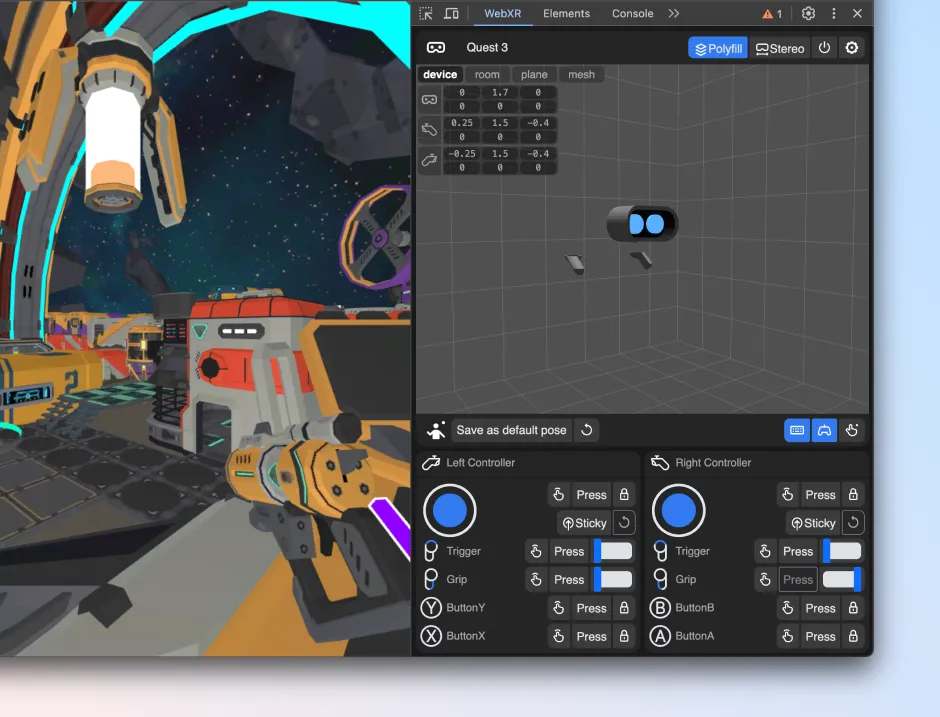
DEVELOPER TOOLS
Test with IWER
Test your IWSDK experience on desktop with IWER, then validate the final experience on Meta VR.

Support and legal
Support and legal
Support and legal
English (US)
© 2026 Meta